Ashes of the Singularity II Army Control: Groups, Orders
Quick answer
Armies are the backbone of unit control in Ashes of the Singularity II: every unit belongs to a numbered army, you select one with left click, and you order it around with right click (move) or the E hotkey (attack-move). You never need to micromanage individual units unless you want to — the army system handles grouping, formations, and reinforcement for you.
| Armies are the control unit | Armies are the backbone of how units are grouped and controlled, each identified by a number above its banner.Ashes of the Singularity II - Video Dev Journal: Armies, Forward Deployment and the Warfront |
|---|---|
| Basic orders | Left click selects an army, right click issues a move, and the E hotkey issues an attack-move.Getting Started | Ashes of the Singularity II |
| Formations | Armies self-organize into formations: close-range units form the front line, longer-ranged snipers and artillery form the back ranks, and an army's facing can be quickly adjusted.Video Blog: Army Formation |
| Auto-replenish | Auto-replenish automatically queues replacements for destroyed units, produced from the closest matching facility, but it consumes resources each time.Ashes of the Singularity II - Video Dev Journal: Armies, Forward Deployment and the Warfront |
Learn Ashes of the Singularity II army control: create armies, set rally points, use formations, reinforce and auto-replenish, and issue move and attack orders.
Table of Contents
Armies are the backbone of unit control in Ashes of the Singularity II: every unit belongs to a numbered army, you select one with left click, and you order it around with right click (move) or the E hotkey (attack-move). You never need to micromanage individual units unless you want to — the army system handles grouping, formations, and reinforcement for you.
What an army is
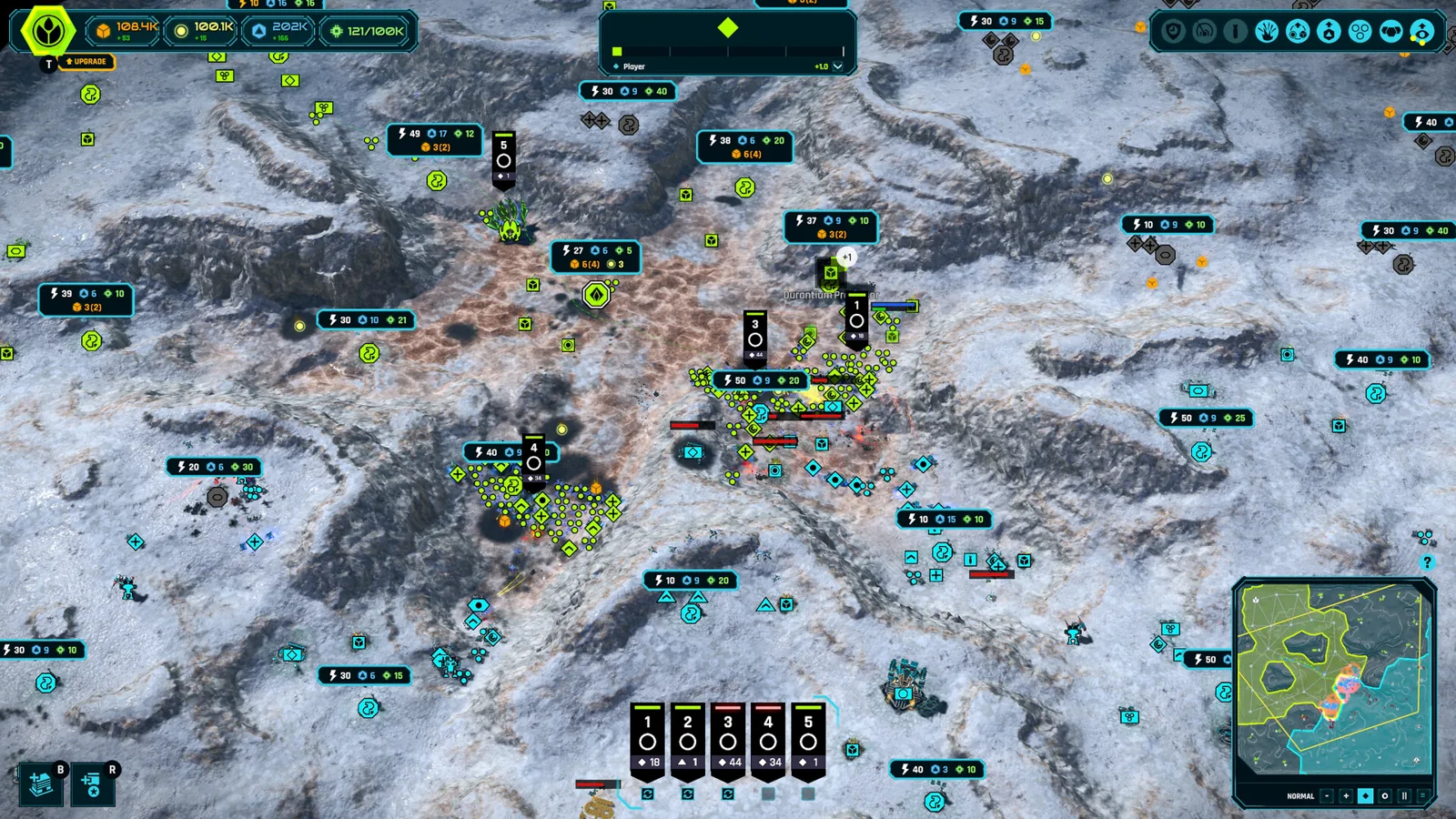
In the dev journal on armies and the warfront, executive producer Brett Norton describes armies as "the real backbone of how units are grouped and controlled." Each army displays its number above a small banner — for example, an army with the number 5 above its banner engaged with hostile units. An army can mix many unit types: tanks, anti-air units, even a scout vehicle, all illustrated together in the bottom section of the interface.
You can modify an army's composition at any time from its screen, adding units such as more Leopard tanks, and destroyed units can be replaced either automatically or manually. The design goal, repeated across Stardock's official announcements, is that victory comes from planning and logistics rather than unit-by-unit micromanagement.
Creating your first armies
The beginner's walkthrough video shows the full workflow in a skirmish match. To set up a low-pressure practice environment, go to Skirmish from the main menu, keep the default Twin Lakes map, hit Next, and start against the training AI — an almost sandbox-style opponent that makes it easy to learn the interface.
Use your starting army
You begin with an army containing the UEF Razor Squad. Select it with left click, then right click a destination to move, or press E to issue an attack-move so the squad automatically engages anything it encounters and continues after the fight.Create a new army
Click the New Army button, or simply click on a barracks to open the recruitment screen. Pick your units — the video starts a new army with four rifle squads, using left click to increase and right click to decrease the count — and confirm.Set the rally point
The new army assembles at a numbered banner (the video's second army appears at the banner marked 2), which is its initial rally point. Move that banner wherever you want; every unit that spawns into the army inherits the rally point and marches there.Watch reinforcements join automatically
Additional units spawning from the barracks automatically join the army and move to wherever that army currently is — even if you change the destination mid-march.
Issuing orders
Ordering armies is deliberately simple. Select an army and right click to move it; use the E hotkey for an attack-move that fights through anything on the route. You can grab your whole army and give it one order, and that order automatically goes out to every unit in it. If you want finer control, you can also order individual units around — stationing them in defensive positions around a base, for example — but nothing in the game requires that level of pickiness.
Because armies carry a number above their banner, you can manage several war fronts at once by switching between them: the dev journal shows armies 1, 5, and 6 each holding a different section of the map.
Formations
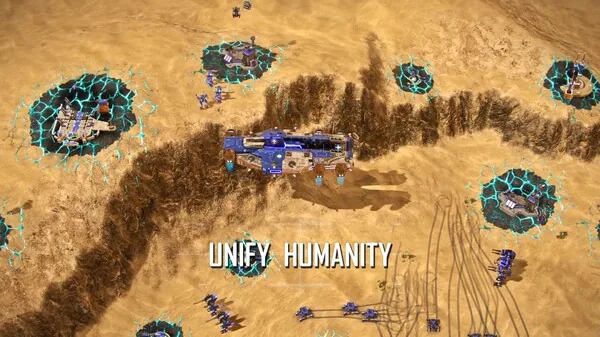
Since the Steam Next Fest demo, and built directly on player feedback, armies organize themselves into a formation automatically, according to the official Steam announcement: close-range damage dealers and meat shields form the front line, while less well-armored, longer-ranged snipers and artillery form the back ranks. An army's facing can also be quickly adjusted to properly face oncoming threats. These features exist specifically to give you more control over a battle's outcome and to enable more complex tactical plays — for example, the developer's gauntlet video shows how blocking units and mortar emplacements devastate closely clustered armored formations funneled through a narrow pass.
Reinforcing and auto-replenish
Reinforcement is the heart of the system, and there are two distinct modes:
- Recruiting a new army: click the New Army button or a production building, pick unit counts, and confirm. The army assembles at its rally banner.
- Reinforcing an existing army: select the army and open its recruit screen. This is different from recruiting — you can raise the army from four rifle squads to eight, for example, and the display shows progress such as "four of eight" while the new units are recruited.
Replacements are built intelligently from logistics: the game automatically produces new units from the closest matching production facility to the army. A mostly-vehicle army draws its tanks from the nearest motor pool; infantry must come from the nearest barracks, because production facilities build different unit types. New units roll off the assembly line and automatically move out to rejoin wherever the army currently is, and they accept orders along the way.
For hands-off supply, set an army to auto-replenish — either with the replenish button or the auto toggle. From then on, every destroyed unit is automatically queued for replacement without you selecting a facility, producing, or re-rallying anything. The dev journal shows this in action: as front-line units of army 5 are destroyed, replacements are queued and produced from a motor pool in a northern region, then roll south to rejoin the fight.
The logistics trick that makes armies fast
Where your armies fight depends on where your production is. A motor pool far from the front means reinforcements traverse multiple regions before arriving; building one close to the frontline means any nearby army draws its replacements almost instantly. The dev journal shows this being risky — forward facilities cost resources and can be destroyed or cut off — but it wins battles of attrition. Conversely, destroying or cutting off an opponent's forward production facilities slows their reinforcement pipeline, making it a core strategic play.
Next steps
- The beginner guide covers base setup, capture mechanics, and winning your first skirmish around these army tools.
- The demo walkthrough shows the Next Fest build where the formation system was first tested by players.
- The defenses page pairs with army control for holding captured regions and choke points.
FAQ
How do I issue an attack-move in Ashes of the Singularity II?
Select your army with left click, then either left click the destination or press the E hotkey. The army moves and automatically attacks anything it encounters, then continues on after the fight.
What is Ashes of the Singularity II army control built around?
It is built around armies: each army is a numbered group identified by a banner that you select and order as a whole. You can still command individual units, but the developers designed the game so strategy, not micromanagement, decides battles.
How do I stop rebuilding units manually every time one dies?
Select the army and enable auto-replenish via the replenish button or auto toggle. Destroyed units are then automatically queued and produced from the closest matching facility — but each replacement consumes resources, so watch your economy with many armies on auto.
Do formations form automatically?
Yes. As of the official March 18, 2026 announcement building on Next Fest feedback, armies self-organize with close-range units in front and ranged snipers and artillery behind, and you can quickly adjust the army's facing to meet incoming threats.
Check note: mechanics on this page come from the official Steam page, the official Army Formation announcement, the Stardock FAQ, and the first-hand dev journal and beginner videos on YouTube. Exact hotkeys beyond move/attack-move and the final release interface remain unconfirmed until the November 10, 2026 launch; the videos predate release and details may shift.
Related guides for this game
Guide Guides Index
Ashes of the Singularity II Ashfall Caldera Map Guide
Is there an Ashes of the Singularity II Ashfall Caldera map? No confirmed name exists; demo and playtest map counts and region-based tactics explained.
Ashes of the Singularity II Beginner Guide: First Match
This Ashes of the Singularity II beginner guide walks you through starting skirmish, building your base, capturing regions and winning your first match.
Ashes of the Singularity II Controls and Input Options
Ashes of the Singularity II controls explained: confirmed mouse commands, the E attack-move hotkey, Shift building queues, and controller support details.
Ashes of the Singularity II Defenses: Turtling Guide
Learn how Ashes of the Singularity II defenses work: building slots, turret placement, flak batteries and mortar turrets to fortify your base against attacks.
Access Guides Index
Ashes of the Singularity II Demo: Free Content Guide
Learn what the free Ashes of the Singularity II demo from Steam Next Fest includes: two factions, 8-player multiplayer, three maps and full skirmish mode.
Ashes of the Singularity II Playtest: Dates and How to Join
The Ashes of the Singularity II playtest ran September 8-14, 2026 on Steam, joined with one click from the store page. See when it ran and how access worked.